 Black Knight Studio
AI Meeting Notes & Recorder
Voice to Text & Transcription
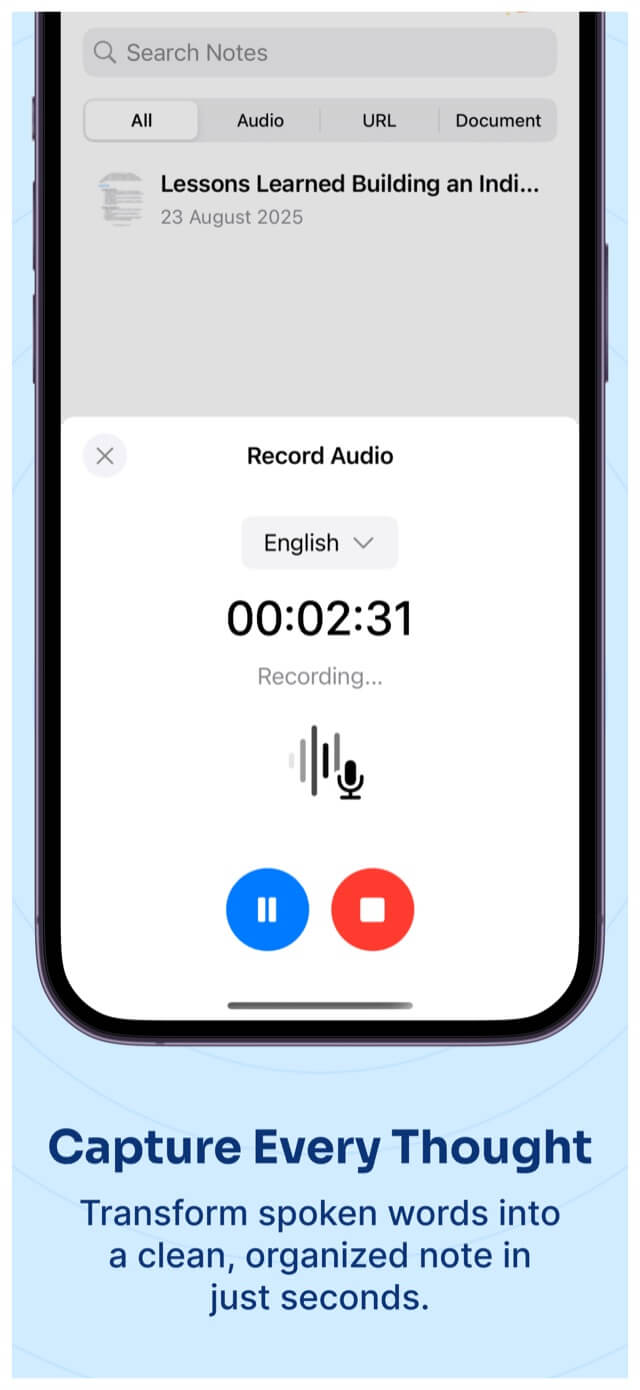
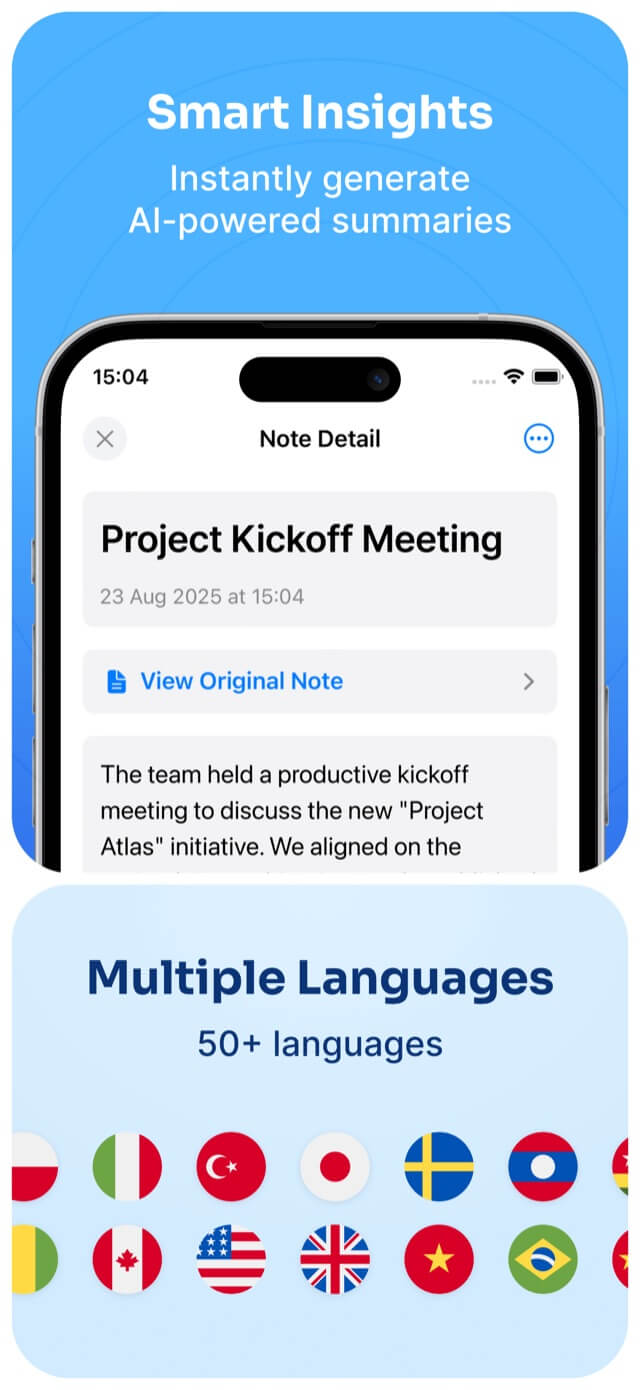
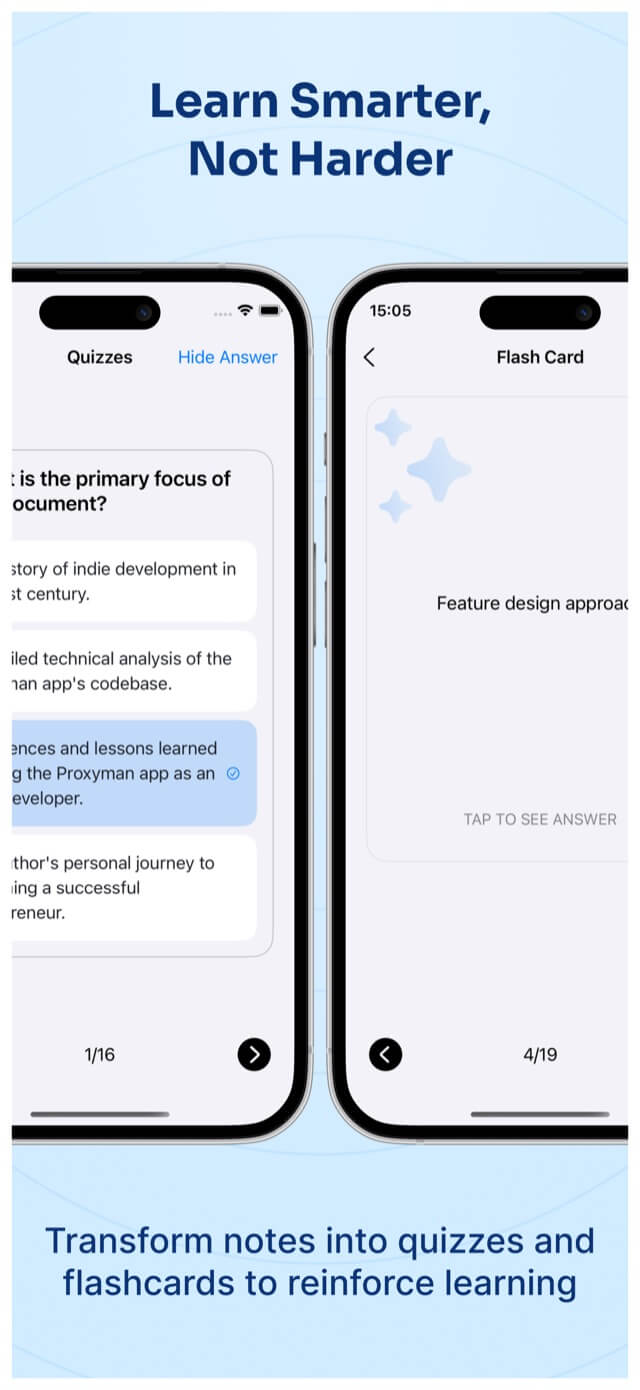
Record meetings and lectures or import what you already have, then get transcripts, summaries and action items — plus quizzes and flashcards to study from.
- iPhone
- iPad
- Mac
- Vision Pro
- Productivity
Free · In-app purchases
See it work
Bring it in any way. Leave with one note.
Record live, or import audio, PDFs, photos, web pages and YouTube links. Each one becomes a note with a summary, action items and study tools.
- Live recording
- Audio file
- Photo
- Web page
- YouTube link
Example note
Weekly product sync
- Summary
- Launch moves to the 14th. Design review stays on Thursday.
- Action items
- Send the updated timeline · Book the review room
- Study
- Quiz · Flashcards · Mind map
What you can count on.
No sign-up
The app uses an anonymous account, so you can start without an email or password.
Clear about the cloud
Transcription and summaries run on cloud AI providers. We list each one in the app's privacy details.
Many ways in
Record live, or import audio, PDFs, photos, web pages and YouTube links.
Questions, answered.
Do I need an account?
No. AI Meeting Notes sets up an anonymous account in the background, so there's no email or password to create.
Where is my data stored?
Microphone is used only while you record. What leaves your device: audio recordings and imported files, for transcription; transcripts and documents, for summaries, quizzes and flashcards; your notes, stored with your anonymous account; purchase status for in-app purchases; usage analytics, crash reports and performance diagnostics; advertising identifiers and ad interactions (if you allow tracking).
Does it show ads or track me?
AI Meeting Notes shows ads. iOS asks before any tracking. If you allow it, your advertising identifier may be used for personalized ads; if you don't, it isn't used to track you across other companies' apps and websites.
How do I get help?
Email support@blackknight-studio.app and mention AI Meeting Notes, your device and iOS version. We usually reply within 2 business days. Purchases and refunds are handled by Apple: manage subscriptions in Settings › Apple Account › Subscriptions.
Privacy, in plain words.
Based on our review of the app's code.
- Stays on your device
- Microphone is used only while you record
- Sent for processing
- Audio recordings and imported files, for transcription
- Transcripts and documents, for summaries, quizzes and flashcards
- Your notes, stored with your anonymous account
- Purchase status for in-app purchases
- Usage analytics, crash reports and performance diagnostics
- Advertising identifiers and ad interactions (if you allow tracking)
- Shared with third parties
- If you allow tracking, advertising identifiers and ad interactions are shared with advertising partners to show personalized ads and measure them.
- If you don't allow tracking, the app doesn't use your advertising identifier to track you across other companies' apps and websites. Ads may still be shown.